


Display Film Training
Instructions for applying our Display Refurbishing Film on Laptop-Displays
Clean the Display
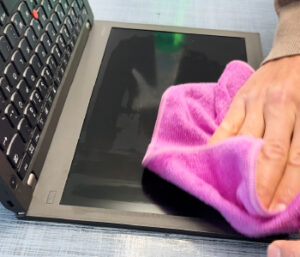 |
| Clean the display thoroughly so that it is free of grease, dust, and lint. You can use any suitable cleaner for this purpose – or we can provide you with an appropriate product. Important: Also clean the display frame and, if necessary, the surrounding work area to ensure that no dust gets underneath the film. Make sure that no dust particles or residues remain on the surface. |
Prepare the Film
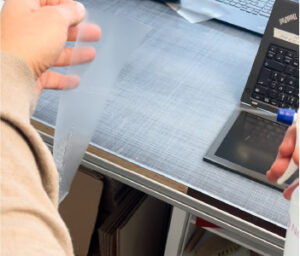 |
| Spray first a bit of the Noviply-Transer Gel on the front side of the film (to make it anti-static). Remove then the pre-cut display film and spray the entire adhesive surface evenly with Noviply® Transfer Gel. The adhesive side should have a uniform spray layer – just enough to cover the surface evenly without starting to drip. Spray also a bit of the Gel onto the display. |
Position the Film
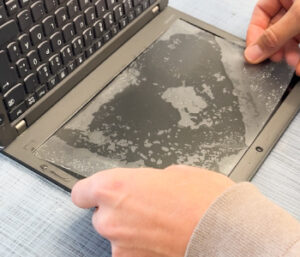 |
| Carefully place the film onto the display, aligning it both horizontally and vertically. The transfer gel allows you to reposition the film if necessary. |
Squeegee Out the Transfer Gel
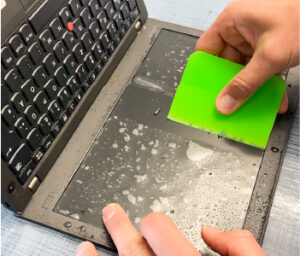 |
| Spray a fine mist onto the top side of the film so that the squeegee glides more easily. Then use the rubber squeegee to push the transfer gel outwards from the center towards the left and right, and then up and down. |
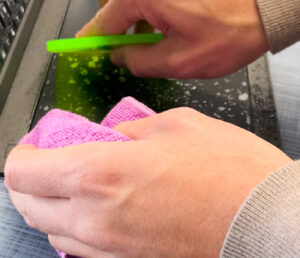 |
| Perform the first squeegee pass with moderate pressure, then increase the pressure gradually. Use an absorbent cloth with your other hand to collect the liquid that comes out at the edges. We intentionally reduced the film size slightly on all sides for this purpose. |
| Repeat this process until no more liquid emerges from the edges. |
Note
Shortly after applying the film, a slightly cloudy or moist appearance may occur. Don’t worry – this is simply residual moisture that will dry over time.
If small air bubbles remain that cannot be pushed out, they usually disappear on their own within 24 hours. Larger air or moisture bubbles unfortunately do not disappear on their own. For this reason, work carefully and precisely.
In a hurry? Apply the film and ship the device immediately during summer months. In colder conditions, you can include a small silica gel packet with the laptop so that moisture is absorbed during transport.
See the video below!
Need Help?
Don’t hesitate to contact us via WhatsApp to get personal support!