


Cover Film Training
Instructions for applying our Case Cover Refurbishing Film on laptop cases.
1
Clean the Laptop Cover
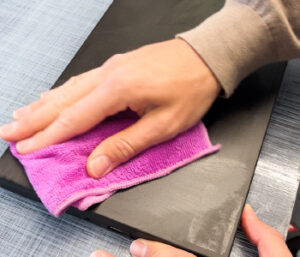 |
| Clean the laptop cover thoroughly and ensure it is free of lint. Make sure that no dust particles or residues remain on the surface. |
2
Remove the Film from the Backing Paper
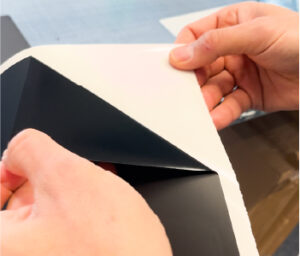 |
| Carefully peel the cover film, which is pre-cut for the specific model, from the backing paper without contaminating the adhesive surface. |
3
Prepare and Position the Film
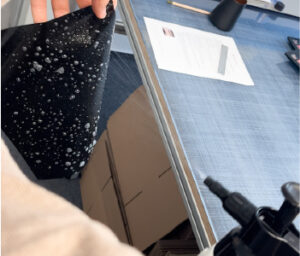 |
| Completely wet the film with Noviply® Transfer Liquid. |
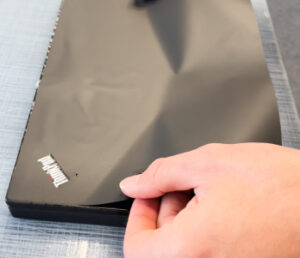 |
| Then carefully place the film onto the laptop and align it both vertically and horizontally. Please note that the film is slightly reduced on all sides, so the spacing around the edges should be even. |
4
Squeegee Out the Transfer Liquid
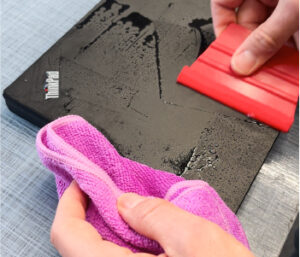 |
| Use a squeegee with a soft edge (felt, microfiber, or Alcantara) to push the transfer liquid from the center toward the edges. Wipe away any liquid that comes out at the edges with a cloth. Repeat this process until no more liquid emerges from the sides. Start with gentle pressure and gradually increase it. Be a bit more careful around the logo cutout to prevent the film from tearing. |
Note
In a hurry? Apply the film and simply ship the device immediately during summer months. In colder conditions, you can include a small silica gel packet with the laptop so that moisture is absorbed during transport.
Please note that we use pre-colored films. Therefore, colors are matched as closely as possible, but slight variations may occur.
See video below!
Need Help?
Don’t hesitate to contact us via WhatsApp to get personal support!