


Keyboard Sticker Training
Instructions for applying our Keyboard Stickers on Keyboards/ Laptops
Surface Preparation
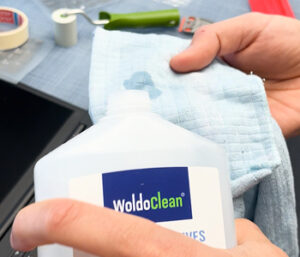 |
| Apply a small amount of isopropanol (99.9% alcohol) to a lint-free cloth. |
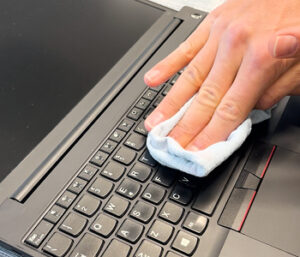 |
Carefully clean the entire keyboard surface to remove dust, grease, and dirt. Afterwards, wipe the keyboard surface dry with a clean, dry, and also lint-free cloth. Important: After cleaning, the isopropanol must be completely evaporated before applying the stickers. Also wipe once across both sides of the sticker to remove any dust or particles that may be attached, as these could otherwise settle on the keys. |
Positioning the Sticker
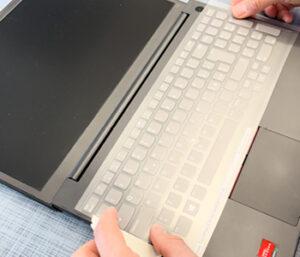 |
| Place the sticker precisely on the keyboard. Then fix the left side of the sticker with a piece of masking tape so that it cannot shift during application. |
Applying the Stickers
| Before continuing, place a simple piece of masking tape under the area where the model name will sit, or cut off the model name with scissors. |
 |
| Now fold the sticker upward and carefully separate the lower backing film from the transfer film. |
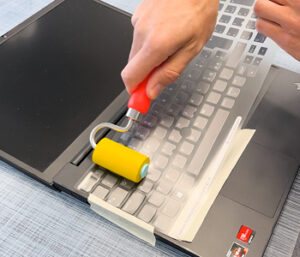 |
| Press the stickers evenly onto the keyboard from left to right using a soft foam roller. Work slowly and apply pressure (but only enough so that the sticker does not stretch) so that the stickers settle cleanly onto the surface. Then go over all keys once more using the firmer pressure roller. |
Removing the Transfer Film
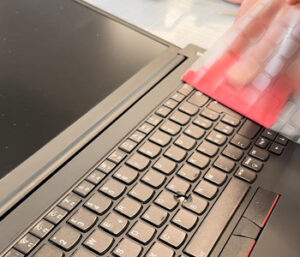 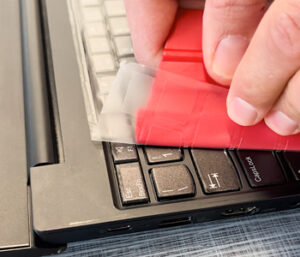 |
If you are right-handed, start at the top left and slowly peel off the transfer film. Hold the transfer film with one hand and pull it off at a very shallow angle. With the other hand, use a squeegee to keep the stickers fixed in place while peeling. |
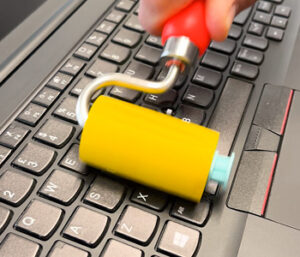 |
| After removing the transfer film, roll once more over the entire keyboard with a soft pressure roller, followed by a second pass with a slightly firmer roller and slightly more pressure. |
Air Bubbles?
⸻
Small air bubbles can be gently pushed out with light pressure immediately after application.
Alternatively, we recommend using a “Bubble Pen”: simply puncture one of the outer edges of the bubble with a fine point and guide or press the air out toward that opening from all sides.
⸻
Important Information
- Keep the working environment at a normal temperature: 18–22 °C (+/–)
- Store the stickers at room temperature and in a dry place.
- All keys are slightly reduced on all sides. Therefore, center the film both vertically and horizontally.
- Color matching is calibrated under 1200 lx (average value for “normal” lighting conditions). Under certain lighting conditions, the color of the stickers may differ slightly from the keyboard color. Please note that different materials may absorb or reflect light differently, which can also cause slight visual differences.
See video below!
Need Help?
Don’t hesitate to contact us via WhatsApp to get personal support!